

TL;DR
- Google has announced a variety of theft protection improvements for Android devices.
- This includes a toggle for Failed Authentication Lock, a more comprehensive Identity Check feature, and a more secure Remote Lock tool.
- Google is also enabling Remote Lock and Theft Detection Lock by default in Brazil.
Google introduced some notable theft protection features to Android in 2024, and it’s continued to build on that foundation since then. Now, the company has announced a slew of upgrades that are now rolling out to Android phones.
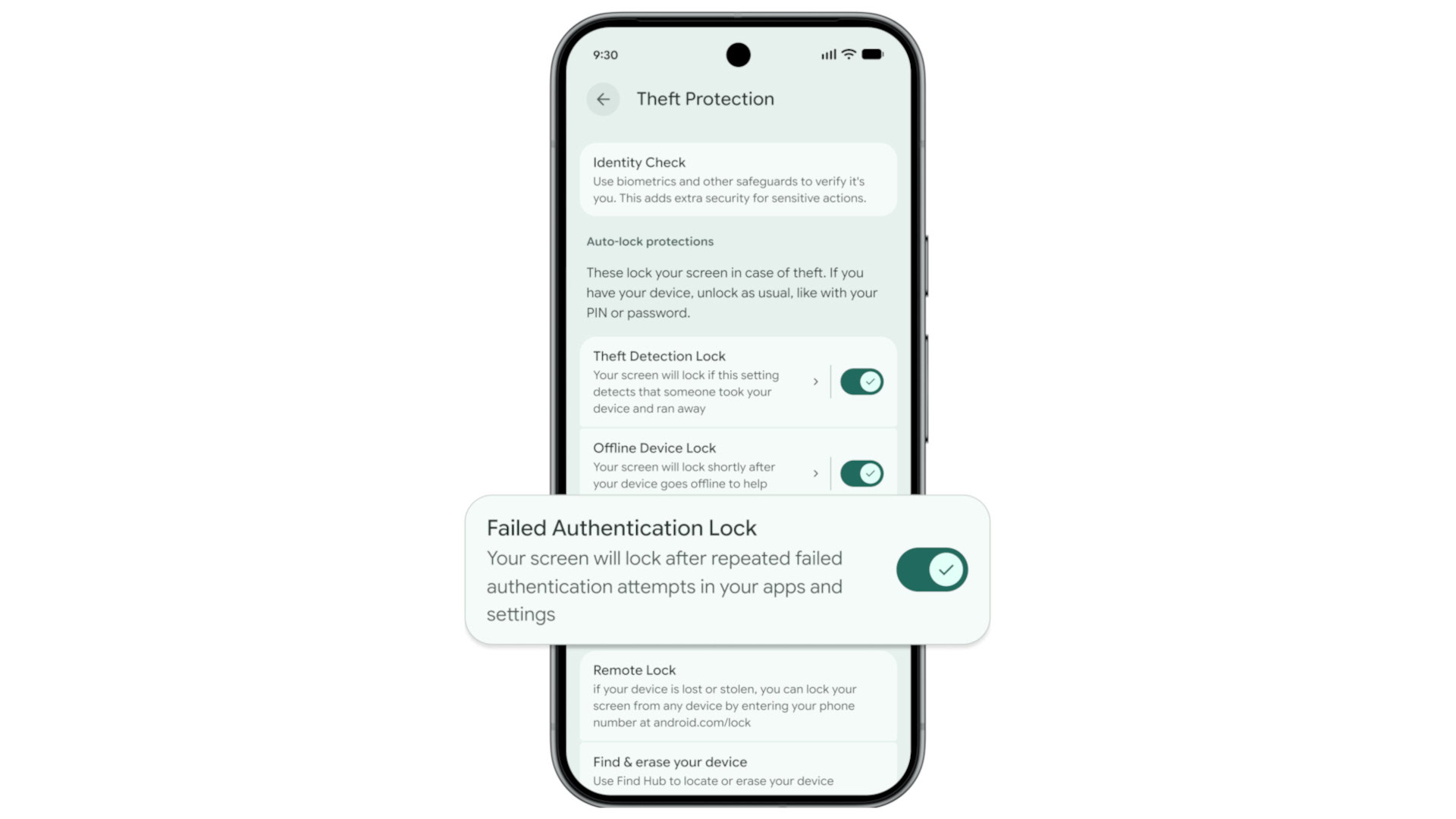
For starters, Android 16 devices are gaining two screen lock improvements. The first is a dedicated toggle for Failed Authentication Lock. This feature originally launched on Android 15 and automatically locks the device’s display after multiple failed authentication attempts in your settings or apps. The feature didn’t have a toggle at the time, although we spotted evidence for one in July, so the company is now giving you more control. Google is also increasing the lockout time after multiple failed unlock attempts in a bid to make life tougher for thieves. However, the company says identical incorrect guesses won’t count as a retry.
It’s a massive upgrade for peace of mind. As of early 2026, Google has significantly expanded its “Theft Protection” suite, moving beyond simple tracking to active, AI-driven defense.
The core of this update is designed to make a stolen phone virtually useless to a thief, protecting your banking apps and private data even if the criminal knows your PIN.
The New “Theft Protection” Arsenal
Google has layered these features into three stages: Prevention, Resistance, and Recovery.
| Feature | What it does | Availability |
| Theft Detection Lock | Uses AI and sensors to detect “snatch-and-run” motions (like someone grabbing your phone and sprinting or biking away) and instantly locks the screen. | Android 10+ |
| Identity Check | Requires biometrics (fingerprint/face) for sensitive actions (changing PIN, accessing Passwords, or banking apps) even if the phone is already unlocked. | Android 15/16 |
| Failed Authentication Lock | Automatically locks the device and increases lockout time after multiple failed attempts. Identical wrong guesses don’t count (to prevent kids from locking you out). | Android 16+ |
| Offline Device Lock | Automatically locks the screen if a thief takes the device offline for a certain amount of time to prevent remote tracking. | Android 10+ |
| Enhanced Remote Lock | Allows you to lock your phone from any browser using just your phone number and a new optional security challenge. | Android 10+ |
How to Enable These Features
Most of these are not on by default (unless you are in certain regions like Brazil). You should turn them on manually:
-
Open Settings.
-
Go to Google > All Services.
-
Tap Personal & device safety > Theft protection.
-
Toggle on Theft Detection Lock, Offline Device Lock, and Remote Lock.
Why this matters now
In the past, if a thief “shoulder-surfed” your PIN before grabbing your phone, they had total access. With the new Identity Check and Android 16’s stricter lockouts, a PIN alone is no longer the “keys to the kingdom.” Even with the PIN, they can’t change your Google password or drain your bank account without your physical biometric signature.